YOUR GLP-1 ROUTINE, TOGETHER
Less to remember.
More room for you.
Shot day, daily check-ins, and the history you want to keep. Pelora brings it all into one clear, private place.
Explore a sample routineFree core tracking · Free CSV/JSON export · iPhone + Android
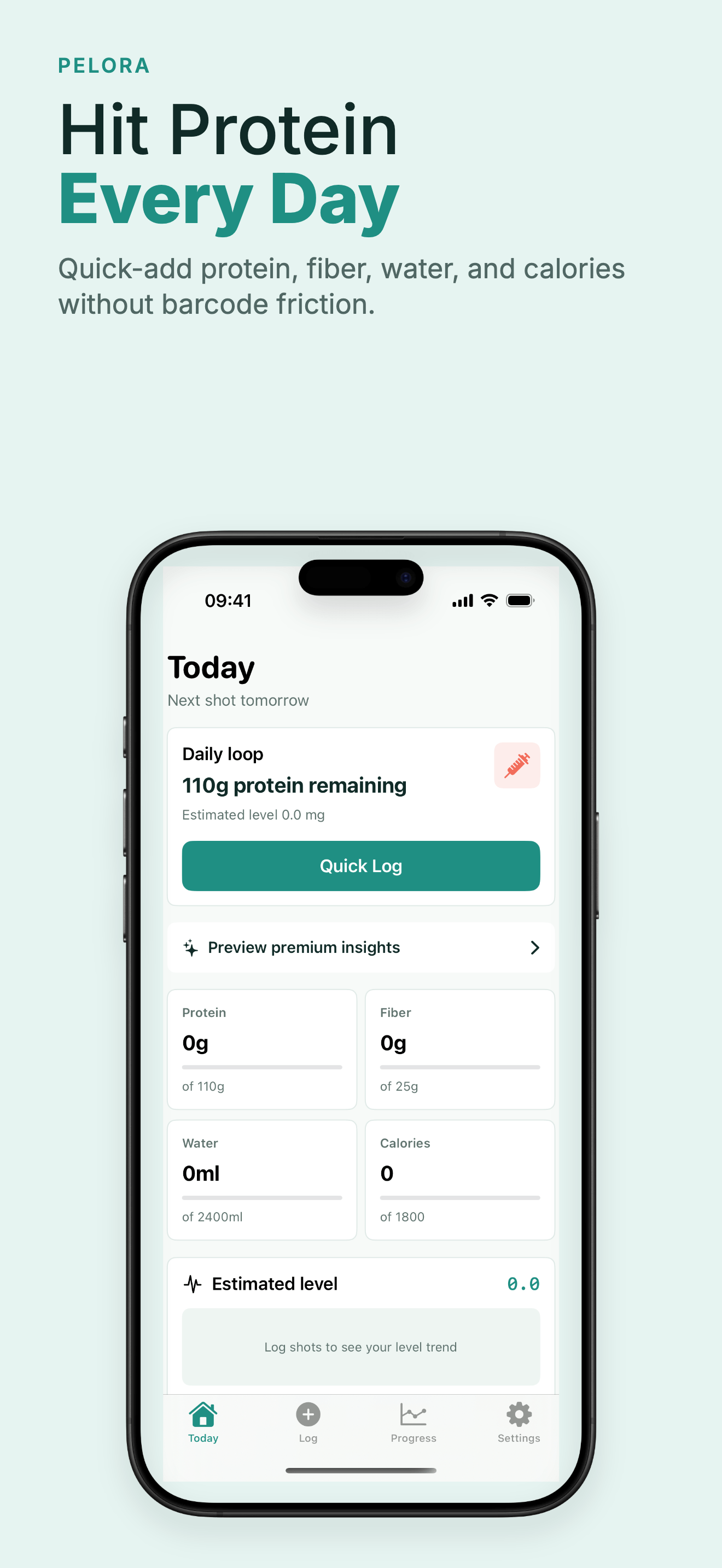
The real Pelora app. Your goals, set by you.
A ROUTINE YOU CAN SEE
From “did I log that?”
to right here.
Keep the details together, without turning every day into a spreadsheet. Explore an example below.
Illustrative web preview. No personal health data is entered or saved here.
One entry. All the details.
- When
- Monday, November 2
- Medication & dose
- Your prescribed routine
- Injection site
- Recorded with the entry
- Notes
- A little context for later
Keep a dated record of what you logged. Always follow your medication’s instructions.
A few small details, together.
- Protein and water entries
- Weight, when you choose to log it
- Side effects and personal notes
Use your own goals. Pelora helps you record the day without recommending nutrition targets or treatment changes.
Make room for a clearer conversation.
Bring dates and notes to your next appointment instead of trying to remember every detail.
- Review shot and daily history
- Export CSV or JSON for free
- Decide what you share
INSIDE PELORA
Made for the everyday.
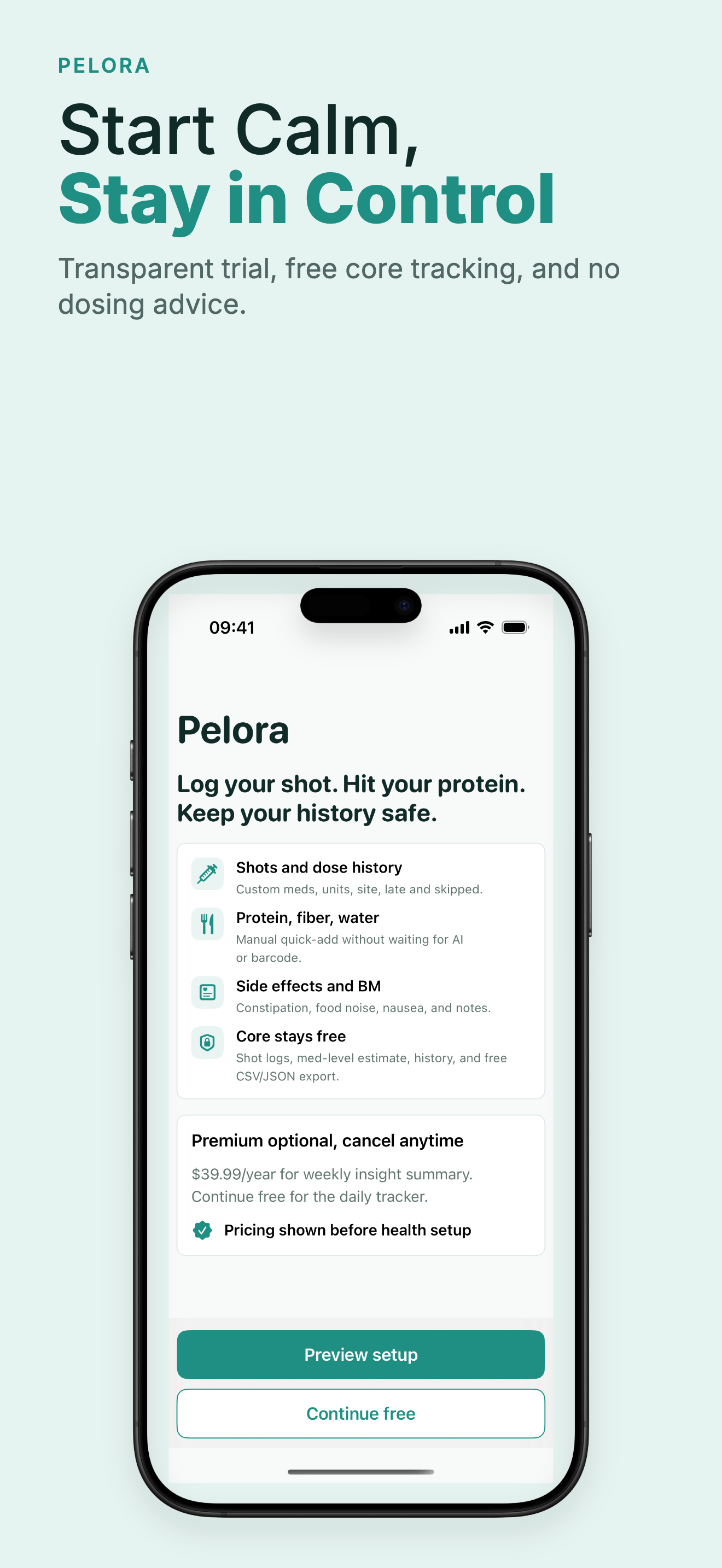
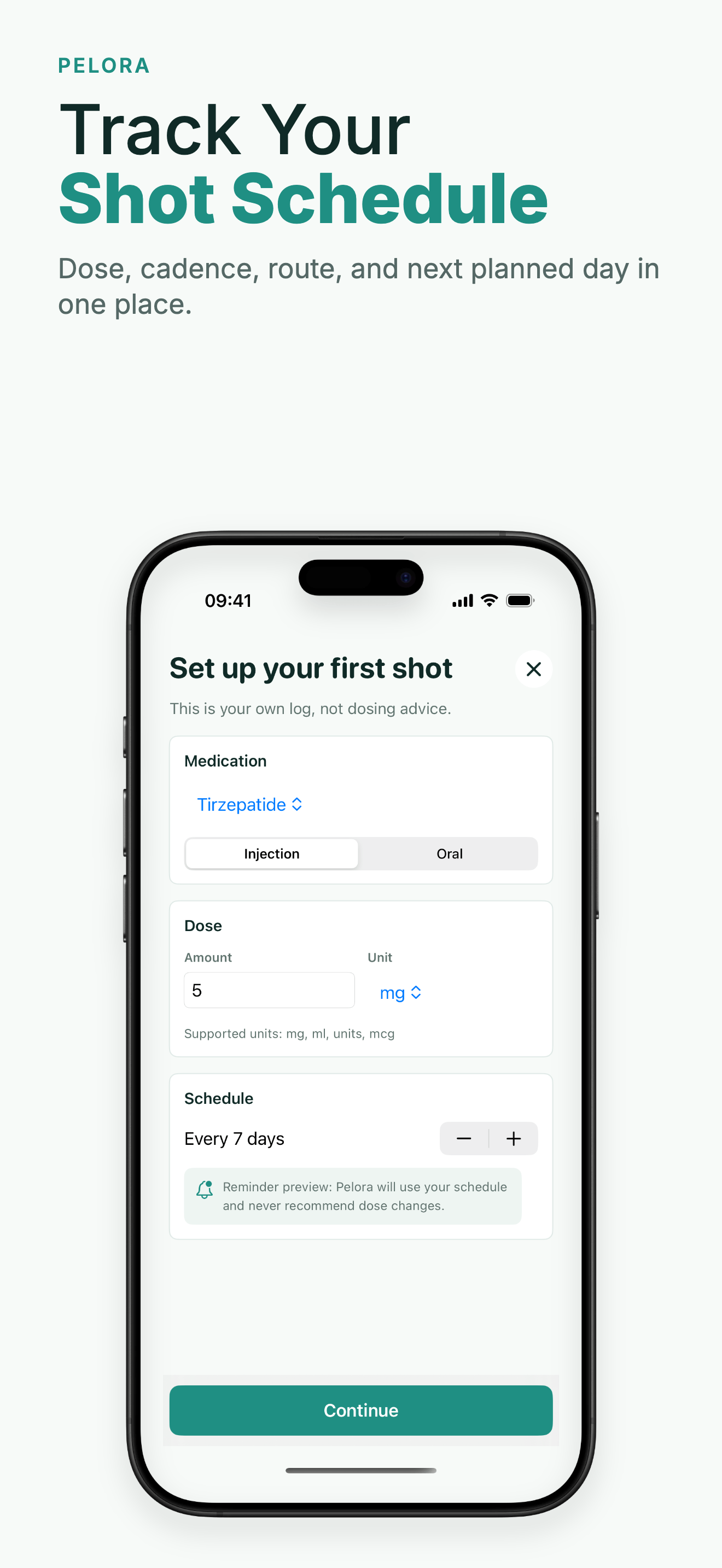
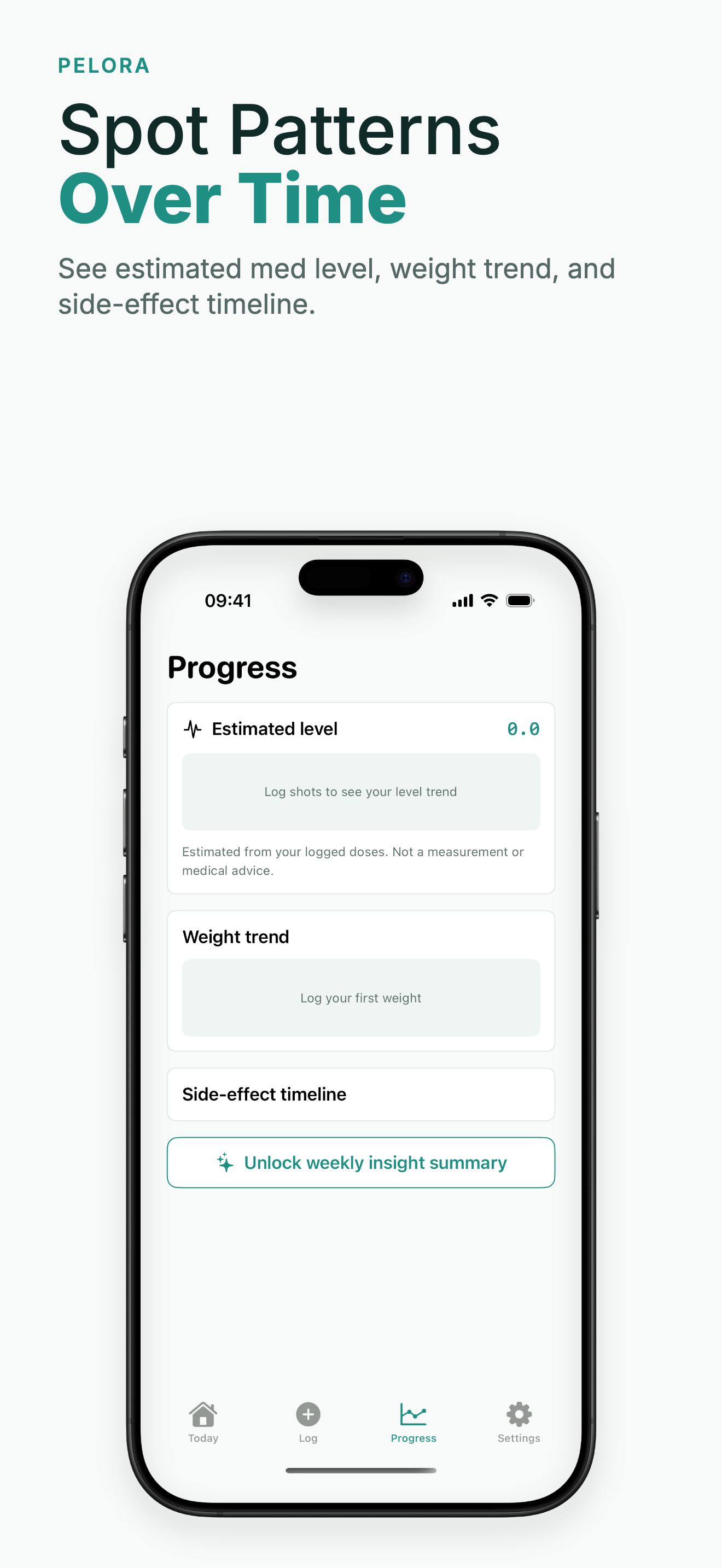
Your routine, from setup to a record you can keep.
YOUR RECORDS STAY YOURS
Start free.
Keep your history.
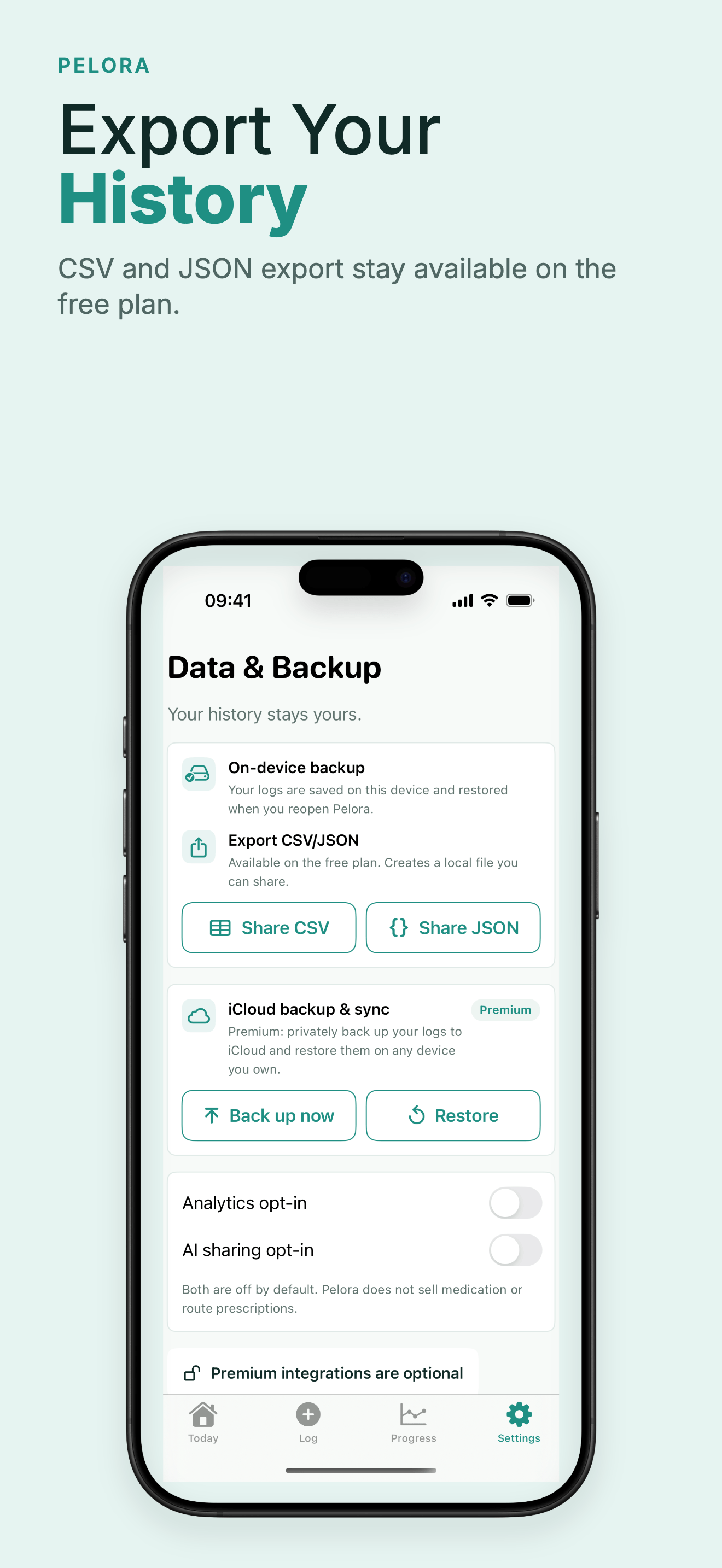
Core logging and CSV/JSON export are free. Optional Premium adds weekly insight summaries and private cloud backup, with pricing shown before purchase.
Read how privacy and backup work →Stored on your device
Your tracking records stay local by default.
Export when you want
Keep a CSV or JSON copy without a subscription.
Backup is your choice
Optional Premium backup uses private iCloud or hidden Google Drive app storage.
A LITTLE MORE CLARITY
Guides for keeping track.
GLP-1 Appointment Checklist: Bring Dates, Notes and Questions
A practical checklist for organizing your GLP-1 medication records, side-effect notes and questions before a prescriber appointment. No dose calculations.
Read guide →TRACKING GUIDEGLP-1 Tracker App: What to Look For and How to Use One Well
A practical guide to choosing and using a GLP-1 tracker app — what to actually log, why it helps, and how Pelora approaches shots, nutrition, and side effects.
Read guide →TRACKING GUIDEGLP-1 Side Effect Tracker: How to Spot Patterns Instead of Guessing
How to track GLP-1 side effects like nausea, constipation, and fatigue in a way that actually reveals patterns tied to dose changes — and what to bring to your prescriber.
Read guide →TRACKING GUIDEInjection Site Rotation Tracker: Why It Matters and How to Keep It Simple
Why rotating GLP-1 injection sites matters, which sites are typically used, and how to track rotation without overcomplicating a weekly routine.
Read guide →TRACKING GUIDEMounjaro Weight Tracking App: Reading Your Trend, Not Just Your Scale
How to track weight on a Mounjaro routine in a way that actually shows the trend, why single weigh-ins are noisy, and what to log alongside weight.
Read guide →TRACKING GUIDEOzempic Tracker App: How to Keep Your Weekly Shot Routine Straight
What an Ozempic tracker app should log, why weekly dose tracking matters, and how to build a routine that actually sticks — plus how Pelora handles it.
Read guide →What is Pelora?
Pelora is a GLP-1 routine tracker for iPhone and Android. Keep medication and shot records, protein and water entries, weight, and side-effect notes in one place. It records your routine; it does not prescribe or recommend a dose.
Which medications can I log?
You can enter your prescribed medication, dose and schedule, including routines for Wegovy, Ozempic, Zepbound, Mounjaro and other GLP-1 medications. Follow your prescriber’s instructions and the instructions supplied with your medication.
What can I use for free?
Shot logging, daily nutrition and water tracking, side-effect check-ins, weight trends and CSV/JSON export are available in the free core. Optional Premium includes weekly insight summaries and private cloud backup. The store shows the current price and any trial eligibility before purchase.
Where is my tracking data stored?
Tracking records are stored locally on your device by default. If you choose Premium backup, iOS uses your private iCloud container and Android uses Pelora’s hidden Google Drive app-data folder. See the Privacy Policy for details about purchases, optional analytics and backup.
Can I take my history to an appointment?
Yes. You can export your records as CSV or JSON for free. Review the entries and dates before sharing a file with your clinician. Pelora does not interpret symptoms or replace medical advice.
Can I log an injection site?
Yes. A shot entry can include the injection site, so you can keep a record of previous sites. Follow the instructions for your specific medication when choosing a site or rotating it.
ONE PLACE FOR YOUR ROUTINE
A little less mental load.
Starting today.
Log your routine. Keep your history. Carry on with your day.
Self-tracking support. No diagnosis or dosing advice.